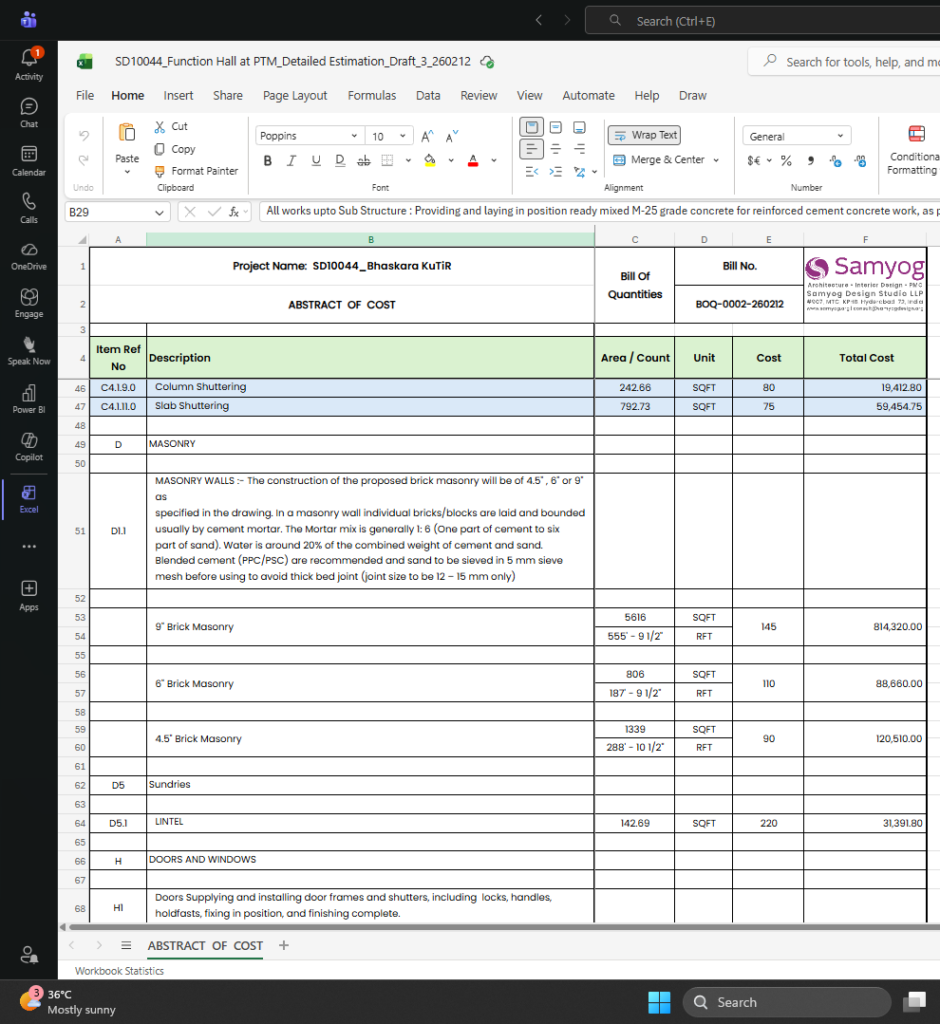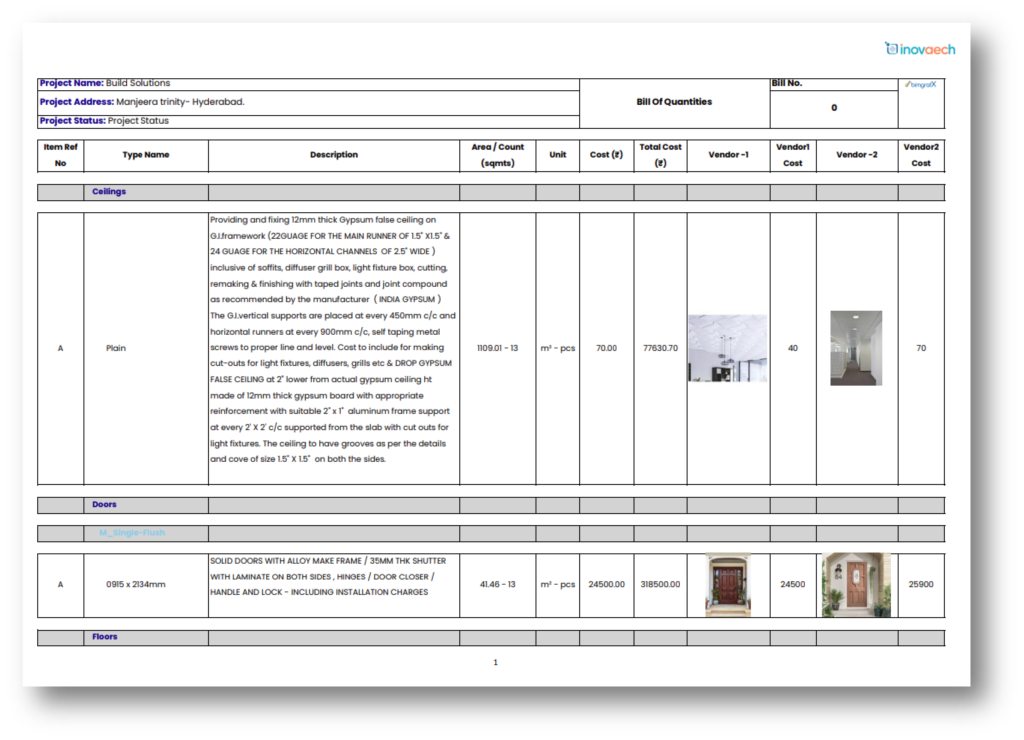
Smarter BOQs. Greater Efficiency.
A customized plugin designed to automate the Bill of Quantities (BOQ) generation process within the AEC industry, leveraging the power of BIM and Autodesk Revit.
Key Features
Everything you need for accurate, fast and seamless BOQ generation.
Intelligent Quantities Takeoff
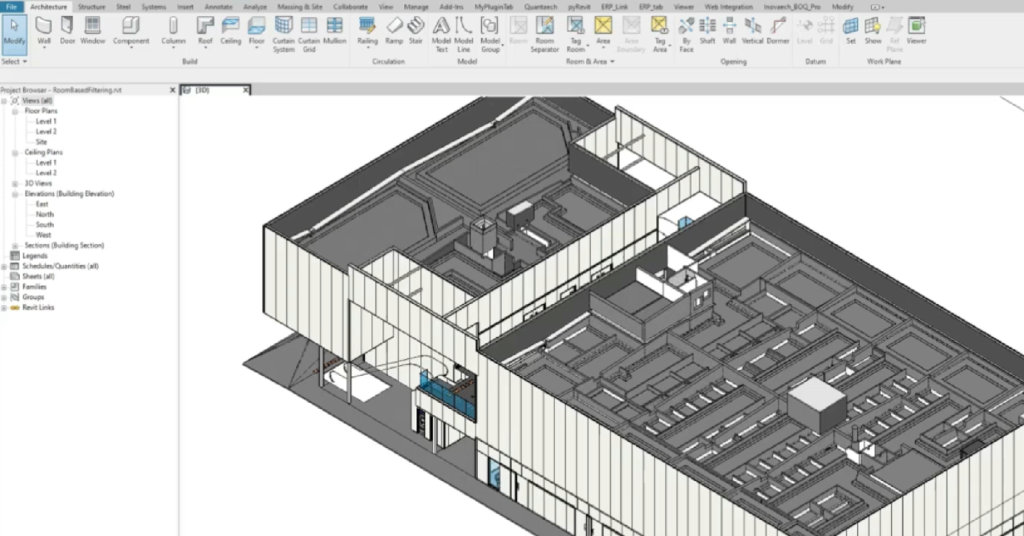
Quick take-off from model.
Integrations
With Autodesk Forma, ERP, Classification systems.
Improve Accuracy
Reduce manual intervention and verification.
Exporting
BOQ to Excel or PDF with customizable templates
Quantaech(Beta Version):
Quantaech is a customized plugin designed to streamline and automate the Bill of Quantities (BOQ) generation process within the Architecture, Engineering, and Construction (AEC) industry. By leveraging BIM technology, particularly Autodesk Revit, Quantaech simplifies the extraction of model-based quantities, ensuring higher accuracy, efficiency, and seamless integration with other project management tools.
Border color box with less gap style 2
Another Simple and easy way to show your content with less gap. Grab user attention in a more productive way.
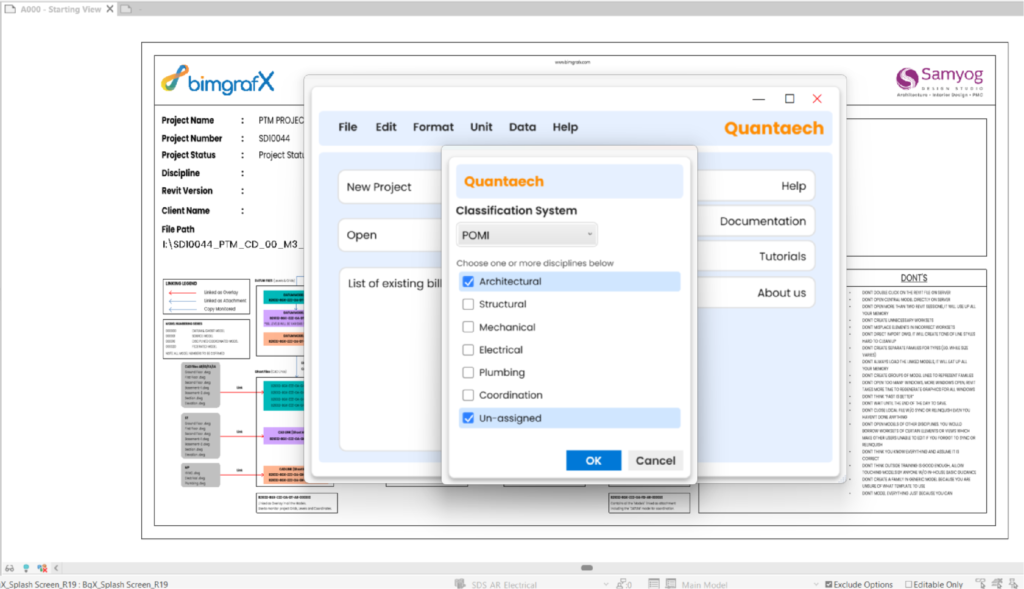
Selection of Classification System.
Quantaech automatically organizes and sorts of list items to ensure the Bill of Quantities is structured according to industry-standard formats, delivering seamless compliance and professional consistency.
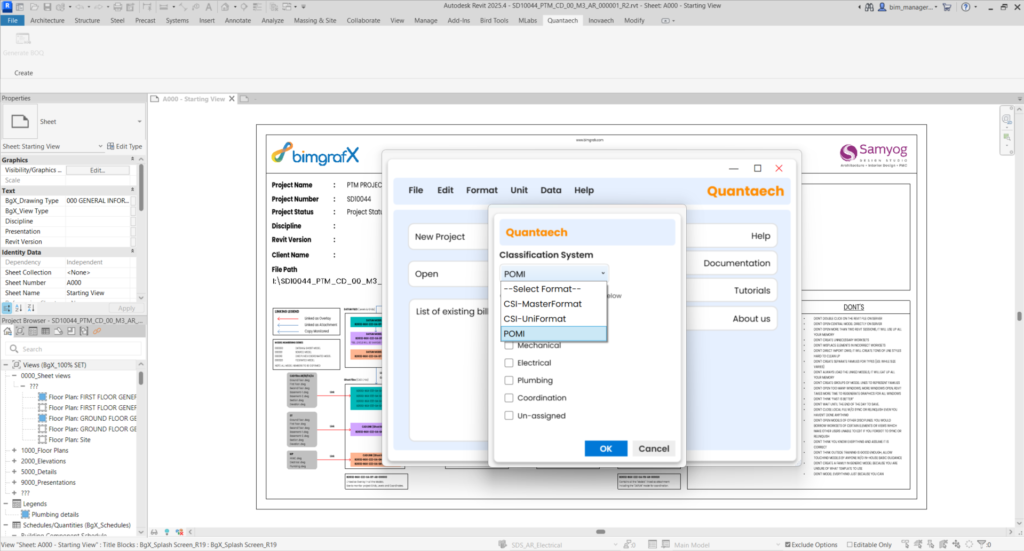
A variety of classification systems are used in the construction industry for organizing project information, resources, and costs. Major systems are organized around either the materials and work results of a project or its functional elements. Quantaech can integrate such classification systems like CSI, Principle of Measurement International(POMI), CESMM3.
Selection of Element Category
You can choose single or multiple categories based on your project stage and requirements, ensuring you receive precisely the information you need.
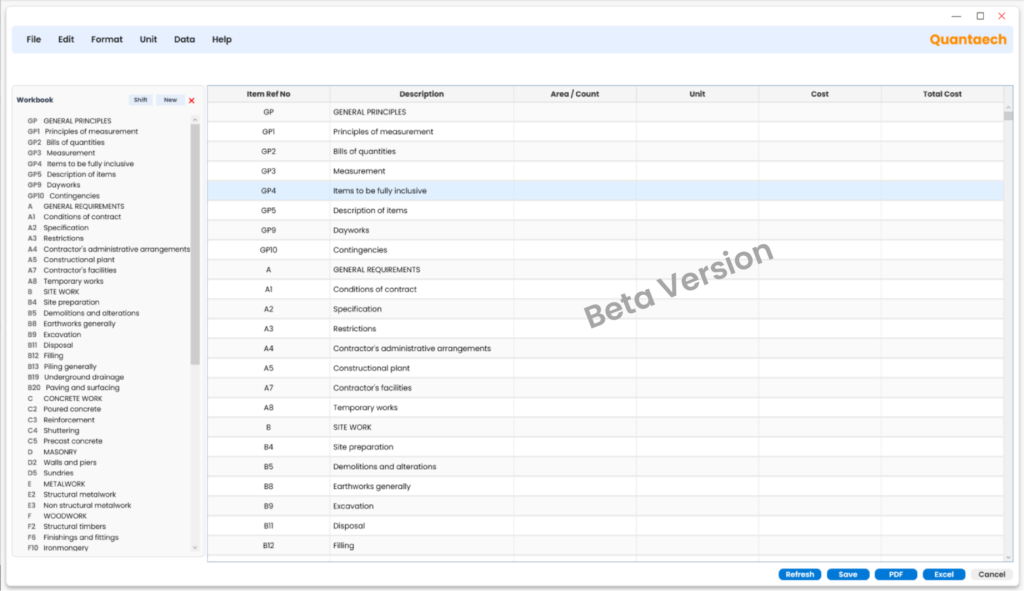
Extraction of Quantities
Quantaech automatically extracts key data—including counts, material areas, volumes, and more—from elements within the model, ensuring seamless information transfer without any data loss.
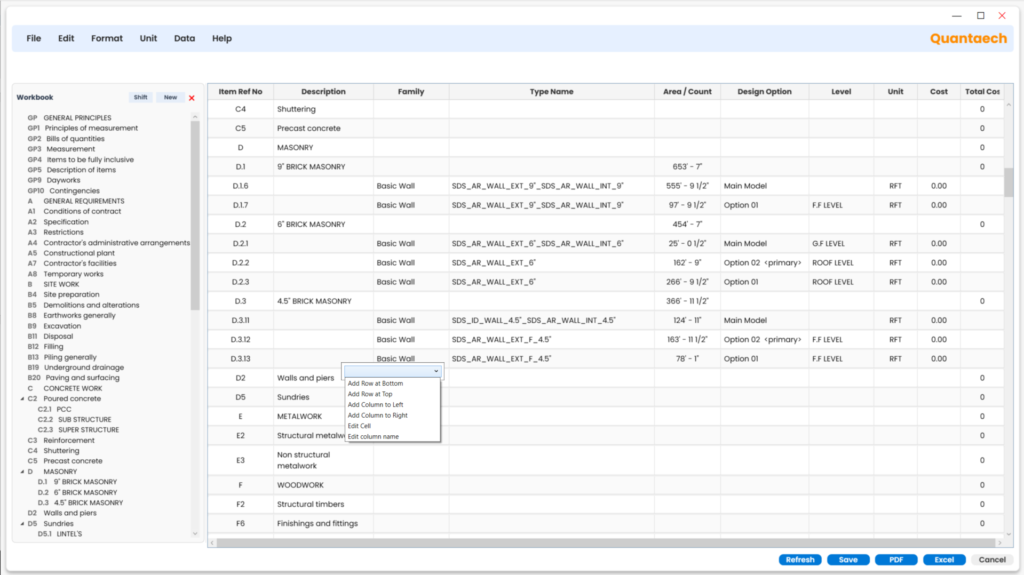
Customization of BOQ’s based on the project requirements.
Our product offers flexible customization, allowing you to add rows and columns for comprehensive vendor data and price comparisons. With this detailed information, users can easily analyze cost-effectiveness and assess additional benefits for informed decision-making.
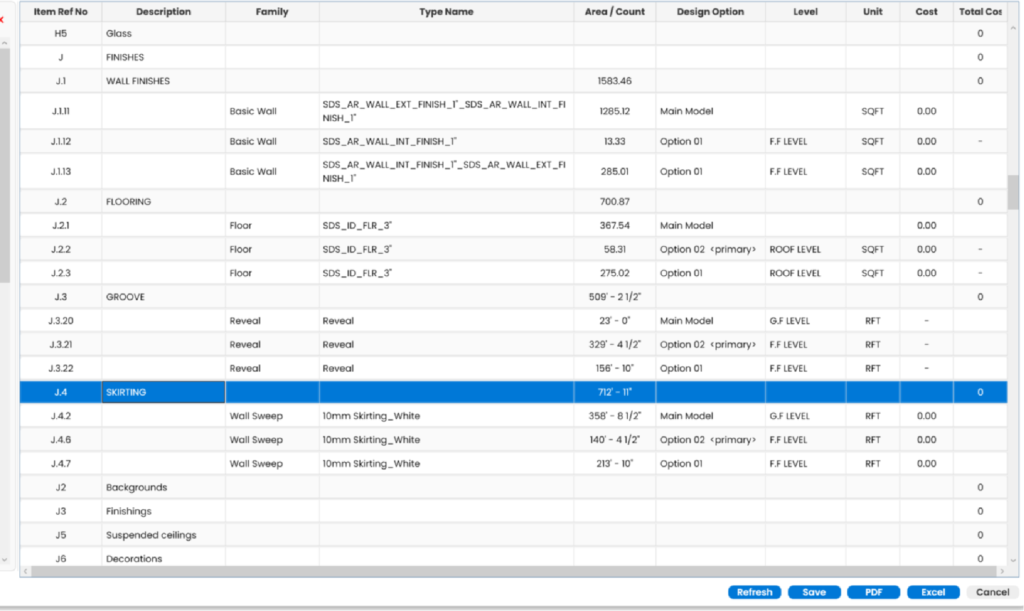
Export to Various formats to Excel and PDF.
Effortlessly export your data to multiple formats, including Excel and PDF, for easy sharing and reporting